Picture books and comics
Picture Book Template for KDP: Sizes, Bleed, Pages
The square and letter trims, the page size with bleed, the safe area for faces and words, page counts, colour ink, and the ebook and video that follow
WriterCaddy Team · November 4, 2026 · 6 min read
Aisha's illustrator asked for a canvas size before drawing a single fox. Aisha had a 32-page story about a fox and a lantern and a plan to print it on Amazon, but she did not know whether "8.5 × 8.5" meant the drawing, the page, or the trimmed book. A picture book template for KDP settles that: one page size with bleed, one safe area, and a page count the printer accepts.
Quick answer: For a square picture book on KDP, choose 8.5 × 8.5 or 8.25 × 8.25 inches; for a large portrait book, 8.5 × 11. Draw each page 0.125 inch larger on the top, bottom and outside edge, so an 8.5 × 8.5 page is 8.625 × 8.75. Keep words and faces 0.375 inch inside the trim. Most picture books are 24 or 32 pages, which means premium colour, since standard colour starts at 72.
The sizes, page ranges and bleed rules here come from KDP's trim, bleed and margins page, checked in November 2026. KDP changes that page from time to time, so recheck the table before your illustrator starts.
Picture book dimensions on KDP
KDP prints three sizes that suit most picture books, plus an 8 × 10 portrait and an 8.25 × 6 landscape.
| Trim (inches) | Shape | Premium colour pages | Standard colour pages |
|---|---|---|---|
| 8.25 × 8.25 | Square | 24 to 800 | 72 to 600 |
| 8.5 × 8.5 | Square | 24 to 590 | 72 to 600 |
| 8.5 × 11 | Portrait | 24 to 590 | 72 to 600 |
| 8 × 10 | Portrait | 24 to 828 | 72 to 600 |
The two squares feel like a bookshop picture book. 8.5 × 11 suits an activity book or a large illustrated story. If you also want KDP's Expanded Distribution to bookshops and libraries, check its eligibility table first: 8.25 × 8.25 is not eligible with any ink, while 8.5 × 8.5 and 8.5 × 11 qualify in colour on white paper.
Page count: why 24 or 32
KDP's minimum for a paperback is 24 pages, and premium colour starts there. A traditional picture book is 32 pages, counting the title page and copyright page, because printers fold sheets in groups of eight. That gives the usual counts of 24, 32, 40 and 48.
The count includes every page in the interior file, not just the story. A 32-page book often gives two or three pages to the title, copyright and dedication, which leaves about 28 to 30 for the story.
Standard colour starts at 72 pages, so a short picture book uses premium colour. A 32-page book is also too thin for spine text: KDP's cover page allows spine text only from 79 pages.
A picture book template for KDP: bleed and page size
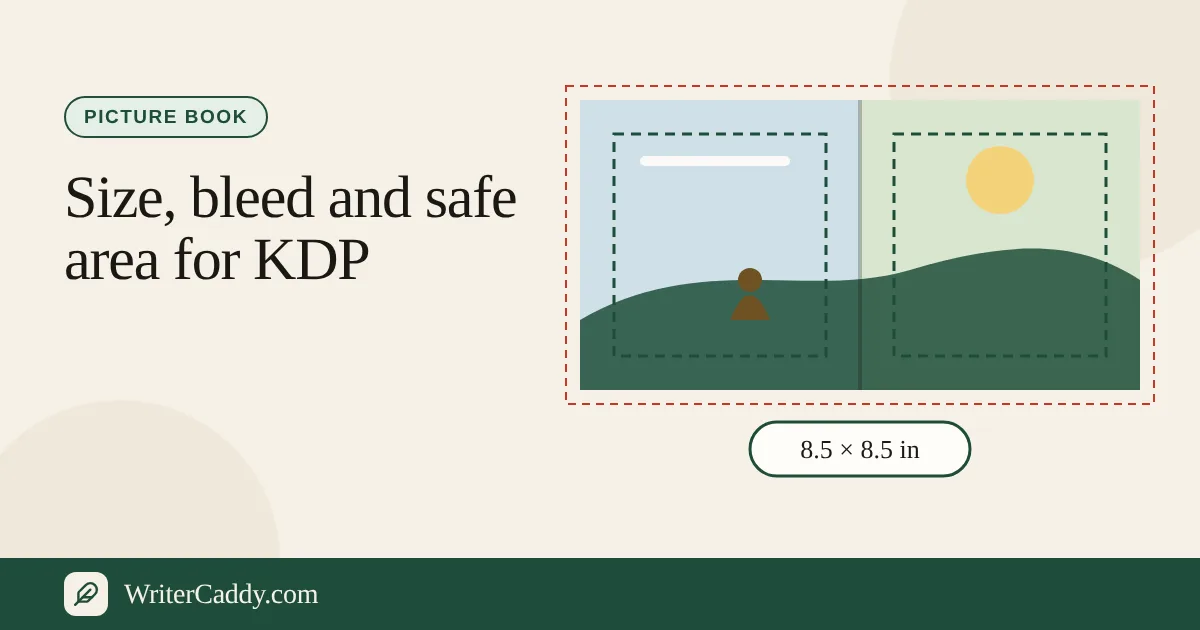
Bleed is art that runs past the trim so the cut never leaves a white line. KDP asks for 0.125 inch on the top, bottom and outside edge, and none at the gutter. The page is therefore 0.125 inch wider and 0.25 inch taller than the trim.
| Trim | Page size with bleed | Safe area inside the trim |
|---|---|---|
| 8.25 × 8.25 | 8.375 × 8.5 | 7.5 × 7.5 |
| 8.5 × 8.5 | 8.625 × 8.75 | 7.75 × 7.75 |
| 8.5 × 11 | 8.625 × 11.25 | 7.75 × 10.25 |
The safe area uses KDP's margins for a book with bleed: at least 0.375 inch at the top, bottom and outside, and 0.375 inch at the gutter for a book of 24 to 150 pages. Two KDP rules matter here. If any page bleeds, the whole interior must be set up with bleed. And a bleed interior must be uploaded as a PDF.
Safe zones for words and faces
Think of each page as three rings.
- Bleed. The outer 0.125 inch. It will be cut off. Fill it with background colour, never with detail.
- Trim. The edge of the finished page. The cut can drift slightly, so nothing important should touch it.
- Safe area. 0.375 inch inside the trim on every side. Every word, face, paw and lantern goes here.
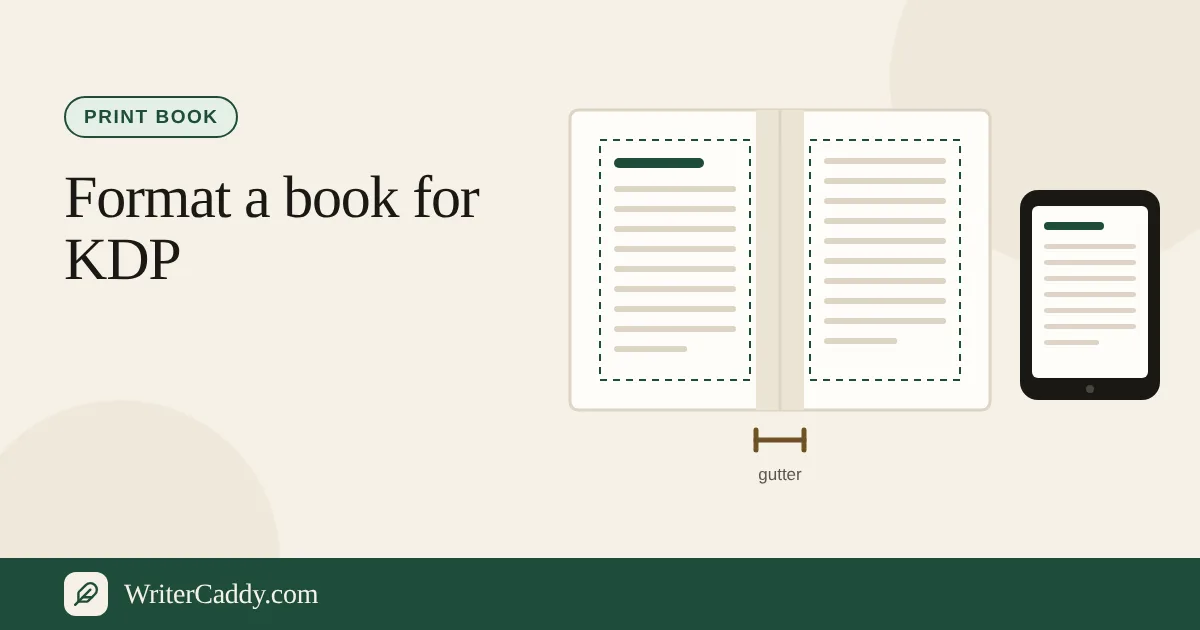
A spread needs one more thought. The gutter is where the two pages meet in the binding, and the paper curves into it. Keep a character's face and any words well clear of the centre of a spread, or they will vanish into the fold.
Ask the illustrator to work at 300 dots per inch at the full page size with bleed. At 8.625 × 8.75 inches that is 2,588 × 2,625 pixels for each single page.
The ebook: fixed-layout EPUB
A picture book does not reflow like a novel. Each page has to stay a page, so the ebook is a fixed-layout EPUB. KDP's MOBI support FAQ says KDP stopped taking MOBI files for fixed-layout ebooks on March 18, 2025, and accepts fixed-layout EPUB that meets its Kindle Publishing Guidelines, children's books with text pop-ups included, as well as KPF files from Kindle Create. Check the result in Kindle Previewer before you publish.
The picture book on the WriterDesk
The desk has its own path for a picture book. Open Choose the trim size, pick Amazon KDP & Audible, and choose "Picture or square". The list then shows KDP's own picture sizes: 8 × 10, 8.25 × 6, 8.25 × 8.25 and 8.5 × 8.5. 8.5 × 11 sits under "Handbook or guidebook".
- On Pages, press "Add a page" for each page, upload the art under "The picture", and type "The words on the page".
- Tick "This picture crosses both pages" for a spread. It counts as two pages.
- Read the Length line. It counts story pages and warns when the total is not 24, 32, 40 or 48.
- With print in the path, download the print interior PDF: a title page, a copyright page, then one page for each picture at the trim plus 0.125 inch of bleed on the outside, top and bottom. A spread is split across two facing pages, and the desk lists any page whose picture prints under about 300 dots per inch.
- With the ebook in the path, download the fixed-layout EPUB: one screen for each page, a spread split across two screens.
Watermarked copies of both download free. Clean files come with the paid WriterCaddy plan; see pricing. The cover itself is made with KDP's cover template.
Turn the same pages into a read-aloud video
The pages you laid out for print can also become a video: each picture held on screen while a voice reads its line. The desk makes a free player file that reads with the viewer's browser voice, and with the AI plan an MP4 at 1920 × 1080 with subtitles plus an MP3. The read-aloud walk shows the screens, and the read-aloud video guide follows one book through them.
What to check before you upload
- Page size. The PDF page is trim plus bleed, not the trim.
- Bleed on every page. One full-bleed page means the whole interior is set up with bleed.
- Safe area. No words or faces within 0.375 inch of the trim or the gutter.
- Page count. At least 24, and premium colour if under 72.
- Resolution. 300 dots per inch at the printed size.
Start on the WriterDesk
Open the WriterDesk and press "A book made from pictures" to see an 8.5 × 8.5 sample, then start your own picture book and add the first few pages.
Which size are you leaning towards for your picture book, square or portrait? Write to us at [email protected].
Try it on your own book
The sample books on the desk show every step before you start one of your own.