Getting started
Pick Your Publishing House Before You Pick a Trim Size
Twelve houses on the desk, and how each one changes the sizes, the ISBN advice and the paths that follow
WriterCaddy Team · October 17, 2026 · updated November 3, 2026 · 6 min read
Marcus formatted his field guide to backyard birds at 10 × 8 inches, wide like a photo album, then picked Barnes & Noble Press as his first shop. Barnes & Noble does not print that size. He had already laid out forty pages of photos and tables around it. The fix took a weekend, and none of it was writing.
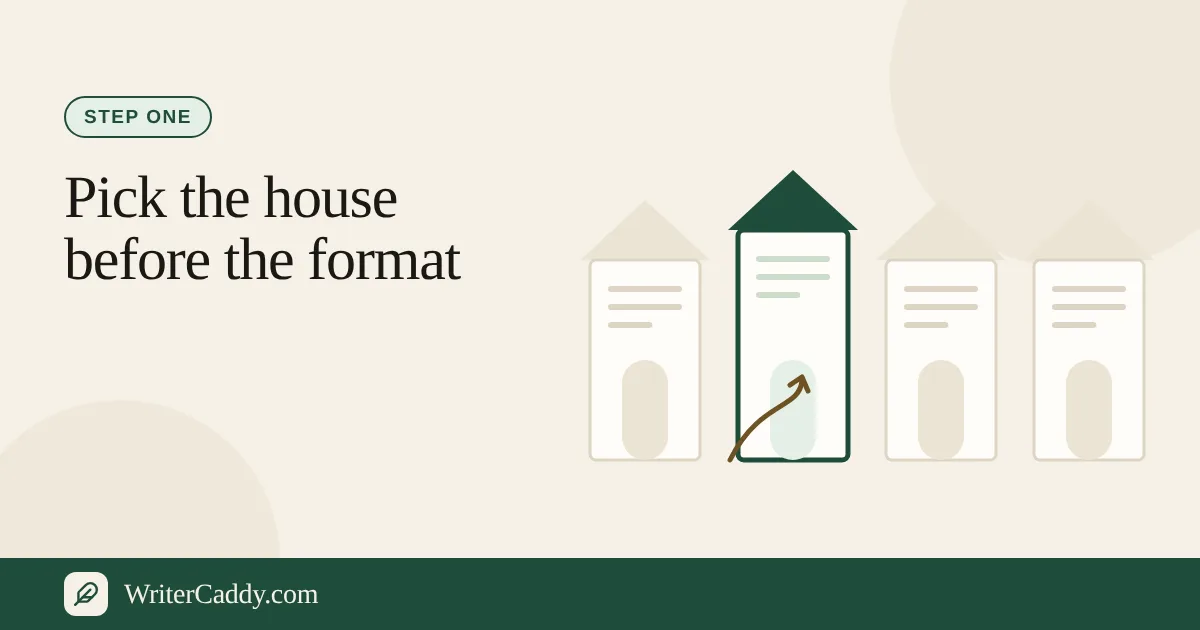
The House step on the WriterDesk exists to prevent that weekend. You name the publisher, or "Custom format" if you have not decided, and every later screen follows that choice: the trims you can pick, whether a custom size is allowed, what the ISBN line tells you, and whether print, ebook or audio is on the table at all.
Why the house comes before everything else
Publishers do not agree on much. A print house cares about trim and margins. An ebook shop wants one cover image and a reflowable file. An audio platform wants spoken files and credits. The desk's House step opens with the reason in one sentence: "Print, ebook, and audiobook do not ask for the same file, and every step after this one follows the path you pick here."
Not sure yet? "Custom format" is a sensible holding place. Its own line reads: "No named house yet. An ISBN can wait. The page uses a common paperback: 6 × 9 in, with an inside margin that grows as the book gets longer." You can switch to a named house later, and the trim list will narrow to match.
So the choice is not cosmetic. When you switch houses, the desk adjusts the path too. An audio-only house turns the book into an audiobook. An ebook-only house turns it into an ebook, except that Google Play Books keeps an audiobook plan as an audiobook. A print house turns an ebook-only plan into "Print and ebook".
The twelve houses and what each one allows
| House | What it takes | Trims | Your own size |
|---|---|---|---|
| Amazon KDP & Audible | Print, ebook, audio | KDP's 16 | Yes |
| IngramSpark | Print, ebook | Ingram's 32 | Yes |
| Barnes & Noble Press | Print, ebook | B&N's 20 | No |
| Lulu | Print, ebook | Lulu's 16 | No |
| Custom format | Print, ebook | All 40 | Yes |
| Draft2Digital | Ebook | None | No |
| Apple Books | Ebook | None | No |
| Kobo Writing Life | Ebook | None | No |
| Google Play Books | Ebook, audio | None | No |
| ACX | Audio | None | No |
| Spotify for Authors | Audio | None | No |
| INaudio | Audio | None | No |
Each print house's list is the one it publishes itself. KDP's is the sixteen paperback trims KDP prints, from 5 × 8 to 8.5 × 11 and A4.
IngramSpark's is the thirty-two on Ingram's trim size matrix, from 4 × 6 to 8.5 × 11 and 11 × 8.5. Barnes & Noble's is twenty, from 4 × 6 to 8.5 × 11, with 11 × 8.5 for children's books. Lulu's is sixteen: Pocket Book (4.25 × 6.88), Novella (5 × 8), Digest, A5, US Trade, Royal, Comic Book, Executive, Crown Quarto, Small Square, A4, Square, US Letter, and three landscape sizes.
Where custom sizes are allowed, KDP takes 4 to 8.5 inches wide and 6 to 11.69 inches tall, IngramSpark 4 to 8.5 wide and 6 to 11 tall and never wider than tall, and Custom format 4 to 12.5 wide and 4 to 18 tall, and only when you fill both the width and the height.
Each house also carries its own ISBN line, shown under the buttons and again on Facts. A few worth reading closely:
- KDP: "You can leave the ISBN blank. Amazon can issue a number that works only on Amazon. Bring your own if the same book should carry one number everywhere."
- IngramSpark: US self-publishers can get a free ISBN in IngramSpark's title setup, under its Indy Pub imprint and only for IngramSpark (IngramSpark); otherwise bring one you own. A blank ISBN shows as "Look" on Check until you enter it, so it prints on the copyright page and barcode.
- Kobo: "Leave the ISBN blank and Kobo can assign its own identifier."
- ACX: "The door to Audible and Amazon audio. A direct upload still expects a human narrator."
When print is on, the house's margin advice appears too, such as Barnes & Noble's "Half an inch outside, three-quarters of an inch on the binding side."
Choosing a house, step by step
- Open the WriterDesk and go to the House tab.
- Click a house. Each button has a small wordmark, such as KDP, Ingram or D2D.
- Pick the path from the buttons that house offers. A print house offers "Print and ebook", "Print only" and "Ebook only", plus "Audiobook" on KDP. Every house also offers "Read-aloud" for a non-illustrated book.
- With print on, choose the kind of book: "Pocket book", "Novel or series", "Handbook or guidebook", "Picture or square", or "Comic or graphic novel". Then choose a trim from the list the house allows.
- If the house allows it and you need a unique size, fill both "Custom width in inches" and "Custom height in inches". The desk confirms with "Unique size in use".
- With an ebook in the path, choose "Reflowable" for prose or "Fixed layout" for a picture book.
- Read the ISBN and margin lines under the buttons before you leave the tab.
already decided in an email or a note? Paste it into the "Bring the decision you already made" box. It picks up a house name, a size such as "6 x 9", and words like paperback, ebook or audiobook.
Audio houses and the AI voice note
If your plan includes an audiobook, the house matters twice. On ACX or KDP with an AI voice, the desk shows this warning: "A direct ACX upload still wants a human narrator unless ACX has authorized a synthetic voice. An AI reading can go to INaudio, Spotify, or Google." The Check step repeats it as a "Look" line so you decide which door the file is for.
Choosing ACX exclusive on the Facts step while the house is something other than ACX or KDP raises another "Look" line: an exclusive title cannot also go wide. The audiobook guide covers the narrator and file side of that path.
What to check before moving on
- The trim is on the house's list. If not, Check shows "Needed" with "{size} is not a size this house prints."
- Your ISBN plan matches the house. A house-issued number may only work in that shop; the ISBN lines say which.
- The kind of book is right. Kind cards appear only when print is on, so set them before switching to ebook only.
- A picture book stays in its lane. Choosing "Picture or square" or "Comic or graphic novel" moves the book onto the illustrated path, which has its own steps and no Check tab.
Next: let the rest of the desk follow
Once the house is set, the remaining tabs stop asking you questions that do not apply. Move on to Intent, and keep the full walk-through of the desk open if you want the whole route in view. If you are printing, the print guide picks up at trim, spine and barcode.
Which house are you leaning toward, and is anything about its rules still unclear? Write to us at [email protected].
Try it on your own book
The sample books on the desk show every step before you start one of your own.