Getting started
Front and Back Matter: What Goes Where in Your Book
Seventeen optional pages, a switch for each, and the ones you never have to type because the desk builds them from your facts
WriterCaddy Team · October 17, 2026 · 6 min read
Priya's field guide to coastal birds was finished, or so she thought. Then a friend asked where the glossary was, her editor wanted an acknowledgments page, and her mother asked, gently, whether the book would be dedicated to anyone. Three small pages, three places they could go, and no idea which belonged before chapter 1 and which after.
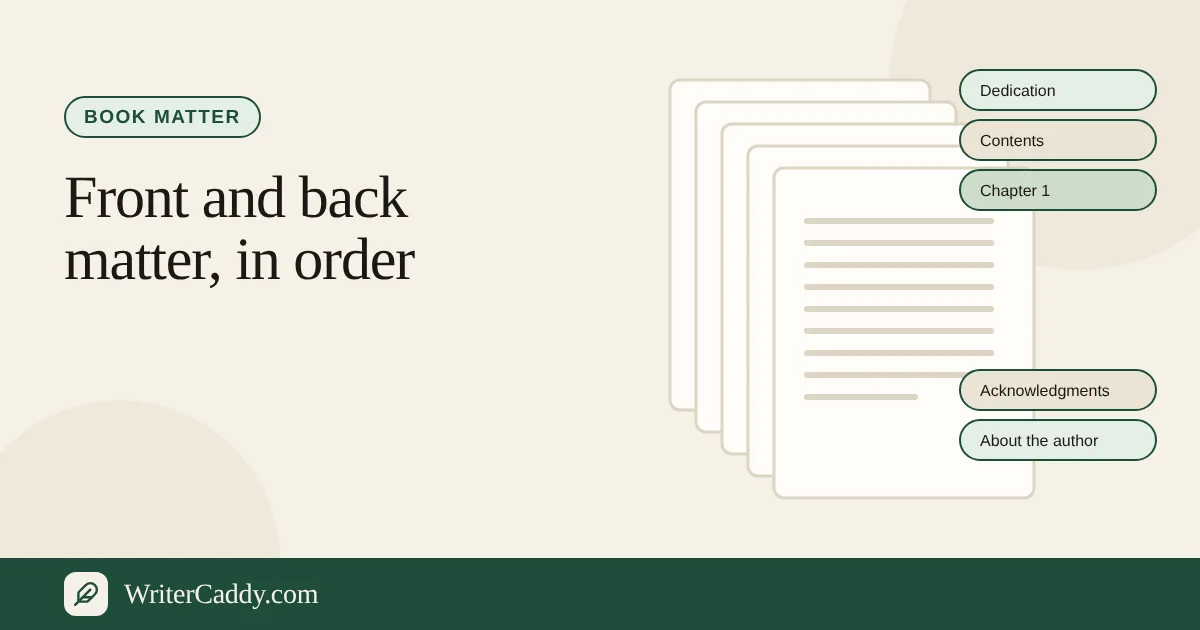
The Matter step settles that. It lists every page a book might carry around its chapters, split into front matter and back matter, each with a hint and a switch. Turn on the ones your book needs, type a few lines, and those pages appear in the right place in the manuscript, the EPUB and the preview. The title page, the contents and the copyright lines are built for you from the other steps.
Front matter: before the first chapter
Front matter prepares the reader. The desk offers nine pages, and the hint beside each one is the quickest way to decide whether you need it:
| Page | The desk's hint |
|---|---|
| Praise | A line from someone else, before the title. |
| Dedication | A few lines, usually before the story. |
| Epigraph | A quotation that sets the tone. |
| Foreword | Someone else, speaking before you do. |
| Author's note | A short word from you before the chapters. |
| Preface | Why you wrote it, in your voice. |
| How to use this book | For a handbook or a reader who needs a path. |
| About the publisher | The house, or you, in a few lines. |
| Peer-review note | For a book that was reviewed before print. |
Most novels need a dedication and perhaps an epigraph. A handbook like Priya's benefits from "How to use this book". A foreword is only a foreword if someone else wrote it; if the words are yours, an author's note or a preface is the honest label.
Back matter: after the last chapter
Back matter serves the reader who wants more. There are eight pages here:
| Page | The desk's hint |
|---|---|
| Acknowledgments | Who carried the bag with you. |
| Also by the author | Other titles, one per line. Useful in a series. |
| Appendix | Material the chapter did not need to hold. |
| Bibliography | Works you drew on. |
| Notes | Sources and asides. |
| Glossary | Words a reader should not have to guess. |
| Answer key | For a workbook or a textbook. |
| Index | A finder for a handbook. Names and pages. |
The desk's own advice is short and good: "A handbook wants a glossary. A series wants 'also by.' A children's book may want none of them." Seventeen pages are available; very few books want more than five.
Pages you do not type
Three pages appear in every finished book without a box on this step. The closing line of the Matter step says it plainly: "The title page, the contents, and the copyright lines are built from the other steps. You do not type those twice."
- Title page: the title, subtitle and author from Intent and Facts.
- Contents: your chapter titles and part names, in their order on the Chapters step.
- Copyright: the year, the rights holder and the data-protection line from Facts.
If a detail on one of those pages is wrong, fix it at the source. Changing the author on Facts changes the title page, the spine and the copyright line together.
Step by step: switching pages on
- Open the Matter step on the WriterDesk.
- In the Front matter panel, click the tab for a page, for example Dedication.
- Tick "Include Dedication", or simply start typing in the box. Typing turns the page on by itself.
- Click to another page's tab and watch the Dedication label change to show " · in the book". The mark appears on every included page except the one you have open.
- Repeat in the Back matter panel for Acknowledgments, Glossary or anything else you need.
- To drop a page, untick its include box. The text stays on the desk in case you change your mind.
Where the pages end up
Matter that is switched on travels with the book everywhere it goes:
- Manuscript: front pages before the chapters and back pages after them, each headed by its label in capitals.
- EPUB: each page becomes its own section with its label as the heading, listed in the contents a device reads. The EPUB guide shows the whole order.
- Preview: the print reading on the right of the desk shows the pages in place, between the front cover and the back cover. Praise sits ahead of the half title; the rest of the front matter follows the copyright page.
On an ebook path the desk adds a reminder that these pages still belong in the file, ending with "The device, not the file, numbers the pages." An index with page numbers means little on a phone, so think twice before typing one for an ebook-only book.
On the audiobook path: what the listener hears
Audiobooks treat matter differently, because a listener cannot skip ahead to a glossary. When your target is Audiobook, each page on the Matter step gets a "Speak this aloud" checkbox. The desk's guidance is to keep copyright, the contents, an index and a bibliography off the recording, while "a dedication, an epigraph, a foreword, and the acknowledgments can each be their own file."
When you render the audiobook, every included page you ticked, as long as it has words, becomes its own MP3 in the ZIP. Front pages play after the opening credits and before chapter 1; back pages play after the last chapter and before the closing credits. Each file begins with its name spoken aloud, so the listener hears "Dedication" before the words that follow. The checkbox appears on every page, including the index, so the judgment is yours. The audiobook guide covers the rest of the recording.
Bringing matter in from a file
If your dedication and acknowledgments already sit in a Word file, the box at the top of the step, "Bring the pages around the chapters", can read them. Choose a .docx, .txt, .md or .rtf file, or paste the text and press "Read what I pasted". The desk looks for headings it recognises, such as Dedication, Acknowledgments or Acknowledgements, Bibliography, Works cited, References, Endnotes and Glossary, and offers each section it finds. Press "Use this" to place them. The import guide covers the other steps that read files.
What to check
- A foreword written by you. Rename it an author's note or a preface.
- A page ticked but never written. The manuscript and the EPUB skip a page with no words, so a dedication you meant to add later quietly goes missing. Read the preview before you take a clean file.
- An index on an ebook. Without fixed page numbers, it rarely helps the reader.
- Too much before chapter 1. Praise, a foreword, a preface and an author's note in a row make a reader wait for the story. Pick the one that matters most.
- Spoken pages that are only lists. A bibliography read aloud is hard to follow; keep it off the recording.
Your next step
Open the sample novel on the WriterDesk and look at its Matter step: it has praise, a dedication, an epigraph, an author's note, acknowledgments and "also by" switched on, which makes it a handy model. Then switch on the pages your own book needs.
Which page around your chapters are you still unsure whether to include? Write to us at [email protected].
Try it on your own book
The sample books on the desk show every step before you start one of your own.